Metadata, extracted data and traces
Documents can hold several kinds of information alongside the original file. Use the correct pane for the value you want to inspect or correct.
| Information | Purpose |
|---|---|
| File properties | Name, folder, size, tags, version and access |
| Metadata | Applicable administrator-defined fields, extracted values and saved corrections |
| Agent Data | Structured JSON output from an AI mapping, including nested groups and lists |
| Form answers | Values submitted through an e-Form and filled by its reviewers |
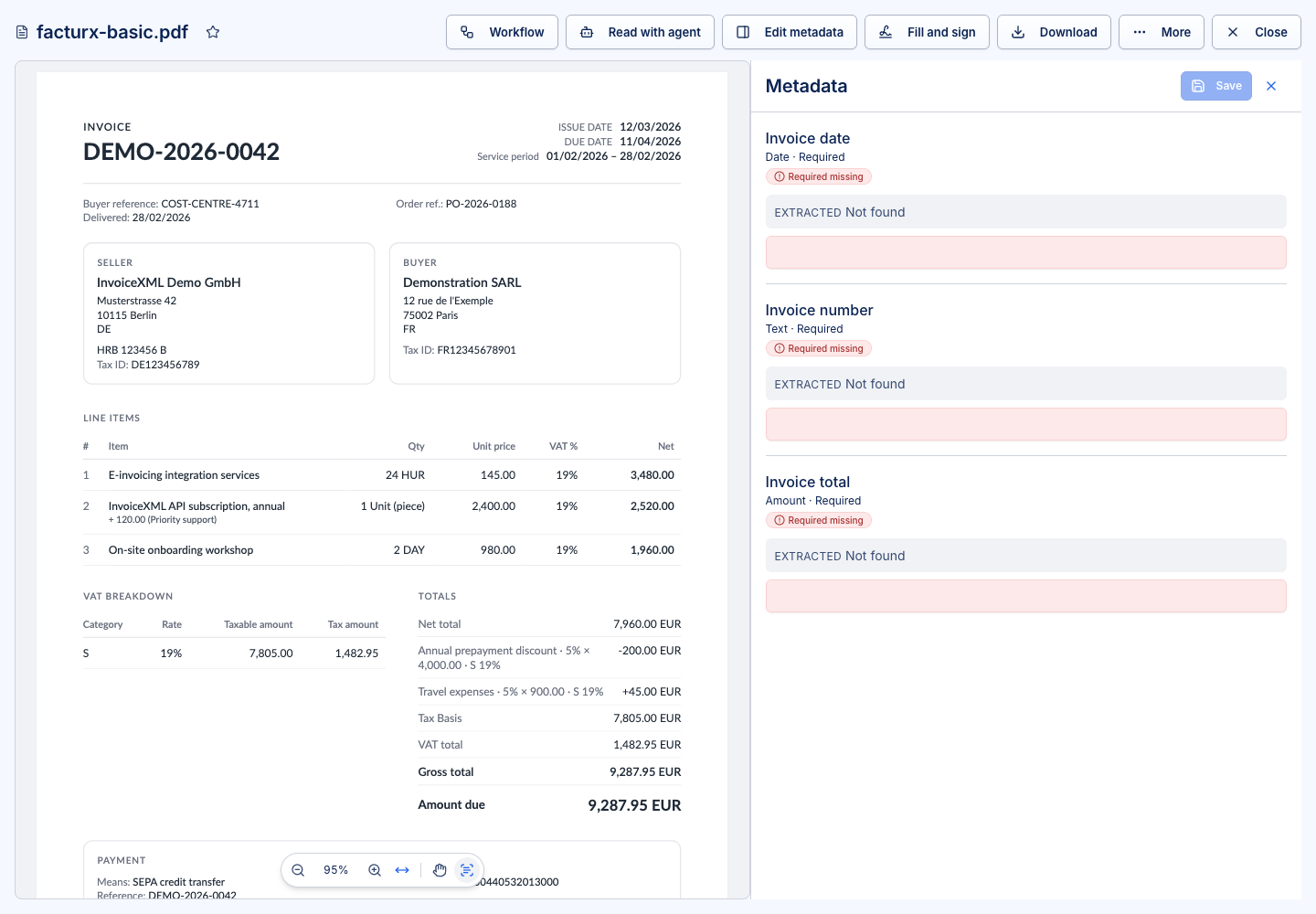
Review and correct a read
The Data pane becomes available after an agent read returns structured output. If no read exists, use Read with agent when your account has the required access.
- Open the document and choose Data.
- Read the status, mapping and any confidence or missing-field information.
- Compare the values with the source file, including dates, totals and line items.
- Correct the fields you are permitted to edit and save the corrections.
- Complete the relevant task only after the corrected data is saved.
A person who may edit the file, or has an eligible approval/fill-in task, can correct extraction values. Later workflow checks use effective corrected values. Reset controls return values to the original extraction; check what will be reset before confirming.
Corrections do not change the source file. If the file's bytes change, an earlier read does not automatically describe the replacement content.
Read again and inspect a trace
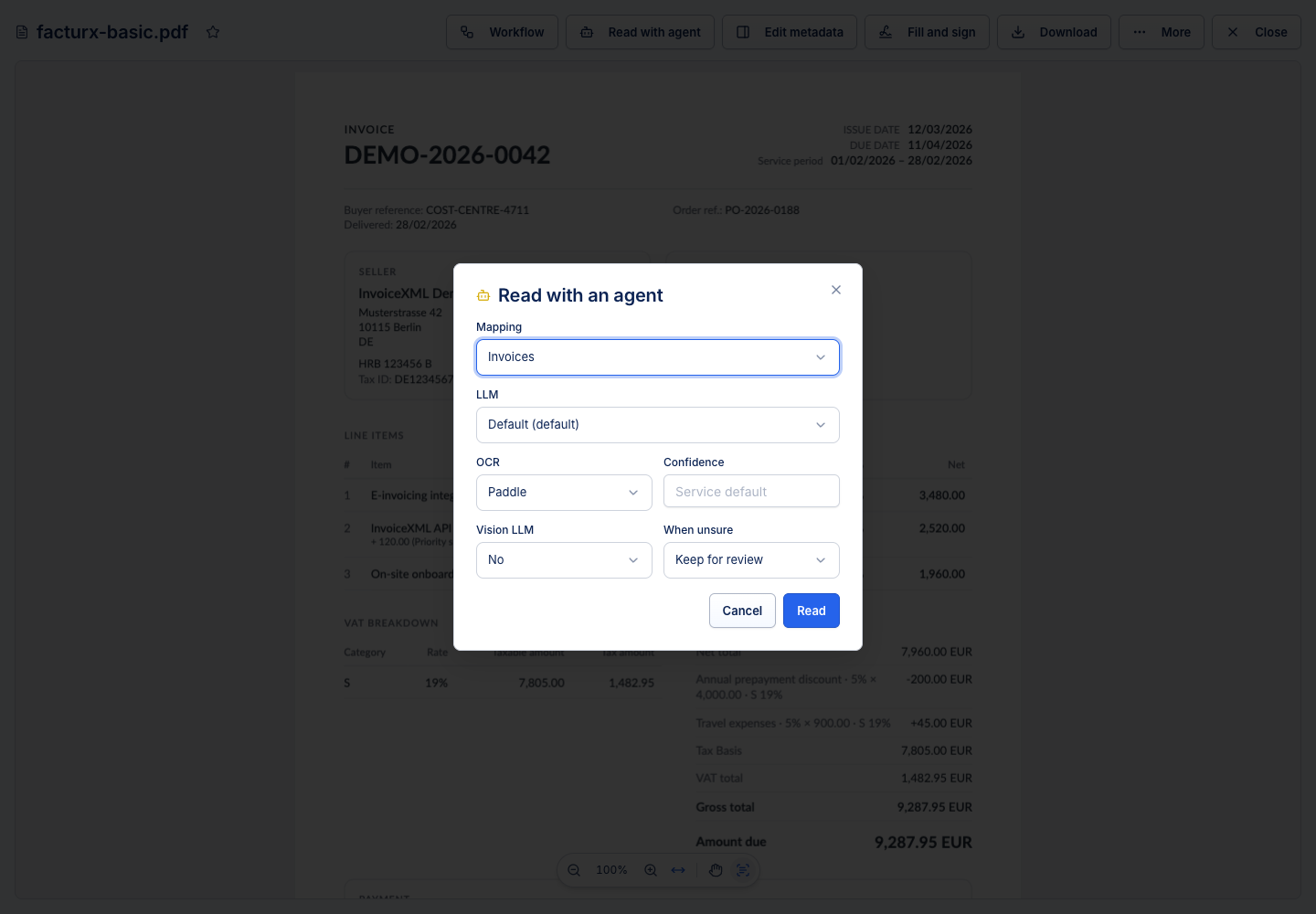
A manual read requires agent access, an available service, a mapping and an allowed model. OCR offers Paddle or Indra; Vision LLM reads page images directly and does not use the OCR confidence setting. Reads can consume page credits.
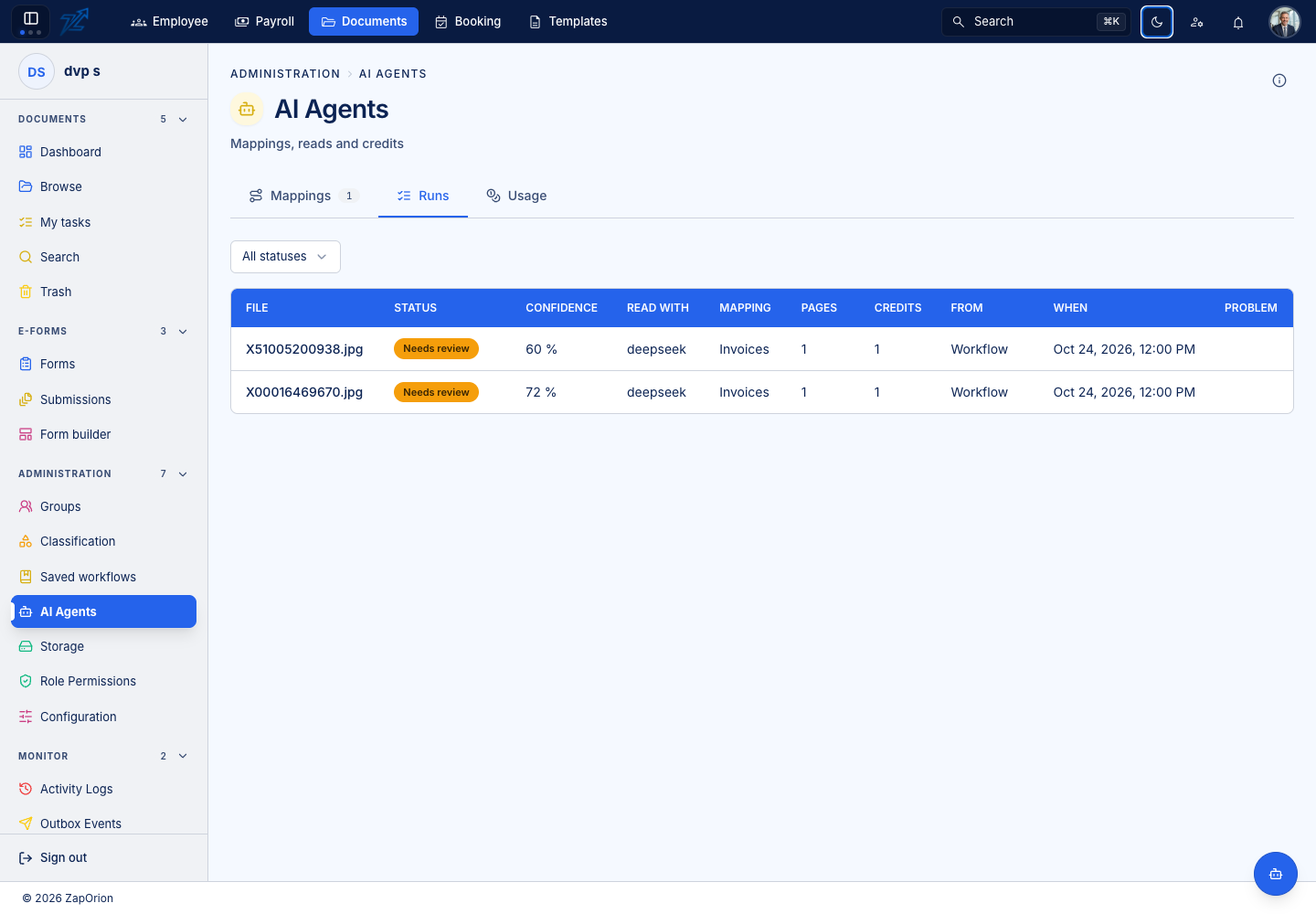
Users with the required agent access can open Trace. Expand a group to inspect the relevant input or output. Copy/download controls retain credential filtering, but the trace can still contain business content; share it only with an appropriate support recipient. Traces expire according to retention policy; token usage history is separate.