Documents dashboard
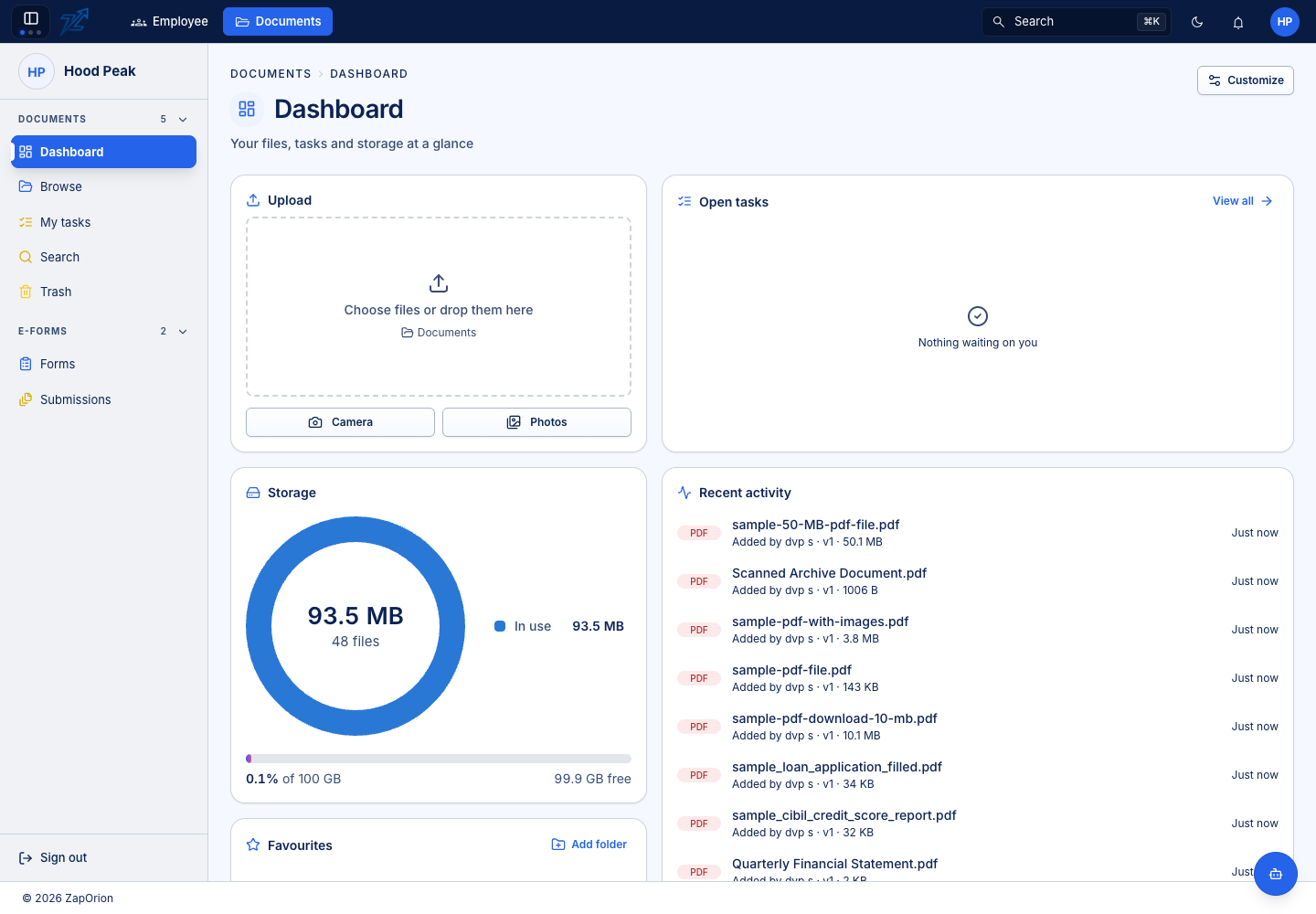
Choose Documents → Dashboard for your starting view of documents, folders, tasks and storage information available to your account.
Work from the dashboard
Open a recent or favourite document to preview it, open a folder to browse its contents, or follow a task to the work waiting on you. A document's star marks it as a favourite for your account; it does not change access for anyone else.
Widgets and their arrangement may be personalised using the dashboard controls. Counts and lists follow your access, so another user can see a different dashboard in the same organisation.
Upload controls appear only where you have upload access. For a predictable destination, open the folder in Browse before selecting files. Review them before starting the upload.
For work assigned to you, use My tasks. To follow work you initiated, open its Sent by me tab.