Variables, loops and formatting
Variables insert values from the supplied input, metadata, layout blocks and available system properties. The authoring help panel lists the functions supported by the running app.
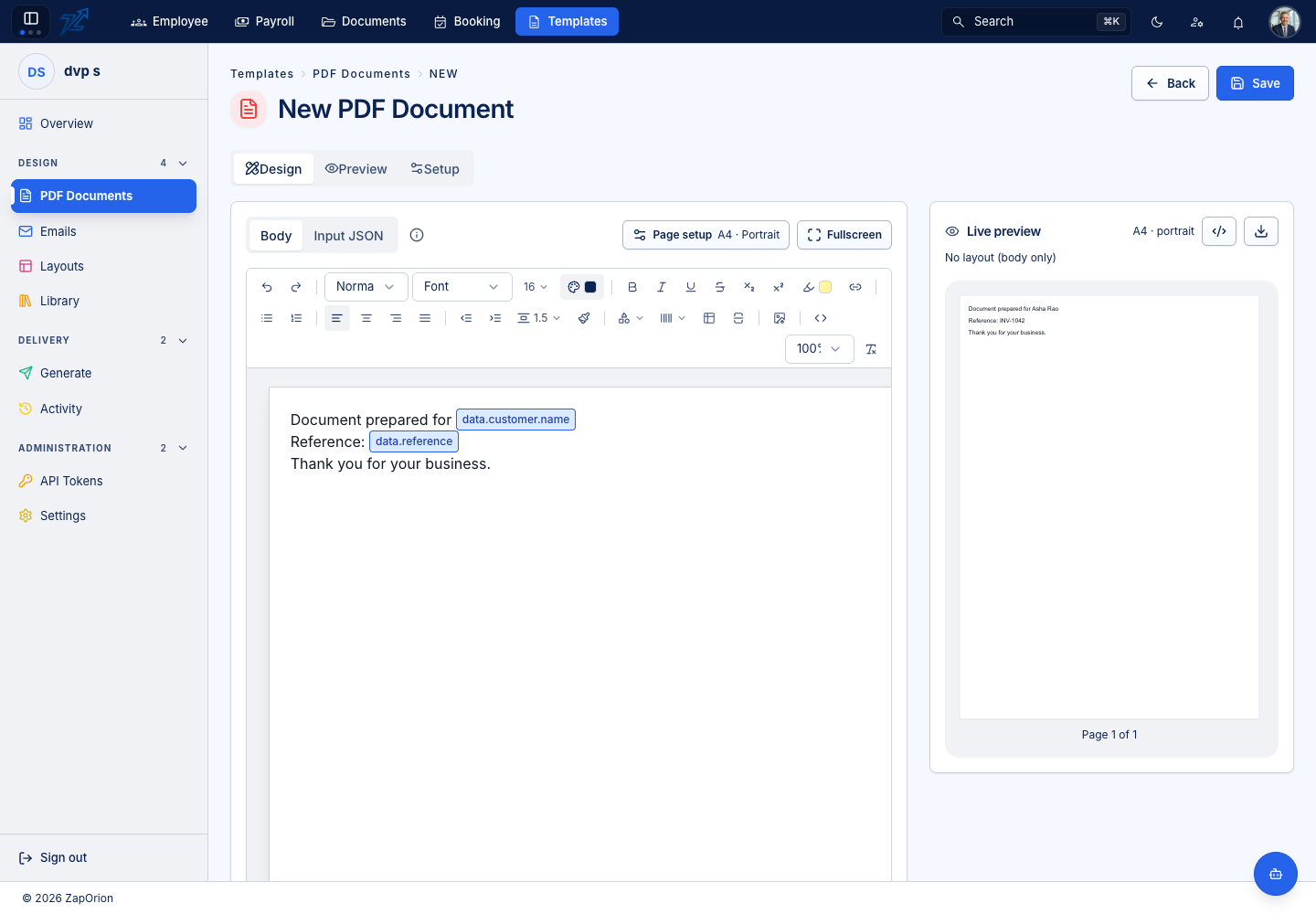
Start with representative Input JSON
{
  "data": {
    "customer": {"name": "Asha Rao"},
    "reference": "INV-1042",
    "issuedOn": "2026-10-24",
    "total": 12500.5,
    "lines": [
      {"description": "Consulting", "quantity": 2, "rate": 6000},
      {"description": "Materials", "quantity": 1, "rate": 500.5}
    ]
  }
}
Reference the same nesting in the body:
Prepared for {{data.customer.name}}
Reference: {{data.reference}}
Date: {{data.issuedOn | date "dd-MMM-yyyy"}}
Total: {{data.total | currency "₹"}}
Type {{ to open suggestions. Tab completes another level of a path; Enter completes a reference. A variable chip's fx menu applies a function. Add a pipeline with |; functions run left to right.
Repeat a list
{{#each data.lines}}
{{this.description}}: {{this.rate | mul this.quantity | number "#,##0.00"}}
{{/each}}
Inside the loop, this is the current item and @index is its index. A table row can also use a repeat path. Use a list of objects for line items rather than manually adding one variable per possible row. Test zero, one and several rows and check page breaks.
Function reference
| Function | Use |
|---|---|
date "dd-MMM-yyyy" | Format a date |
until endDate "years" | Date span; supported units include years/months/days and combined text forms |
upper, lower, title, trim | Change text case or whitespace |
substr 0 3 | Take a substring; a negative start counts from the end |
before "@", after "@" | Split around a separator |
replace "-" "/" | Replace occurrences |
default "—" | Supply a fallback for an empty value |
number "#,##0.00" | Format digits, grouping and decimals |
currency "₹" | Currency symbol and two decimal places |
add, sub, mul, div | Arithmetic using a literal or another variable |
min, max, round 2, abs | Bounds, rounding and magnitude |
lookup "code" "BASIC" "amount" | Find the first matching object in a list and return its field |
map metadata | Look up a value in a mapping object |
For dates, uppercase MM is the month and lowercase mm is minutes. Use yyyy, MMM, dd, HH, hh and a as appropriate. In number patterns, 0 is required, # is optional, , groups, . separates decimals and % multiplies by 100.
Avoid unresolved values
The variable path must exist in the data source the template expects. Sample values drive the authoring preview; real generation receives the values entered in Generate or supplied by an integration. Match the selected template's generated Form/JSON structure rather than adding another data wrapper blindly.
Correct unknown functions and unresolved references before saving. A default is useful for optional values, but it does not make a wrong variable path correct.