Audit trail and background jobs
Open Monitor → Activity Logs. Choose Audit Trail for recorded actions or Background Jobs for asynchronous work.
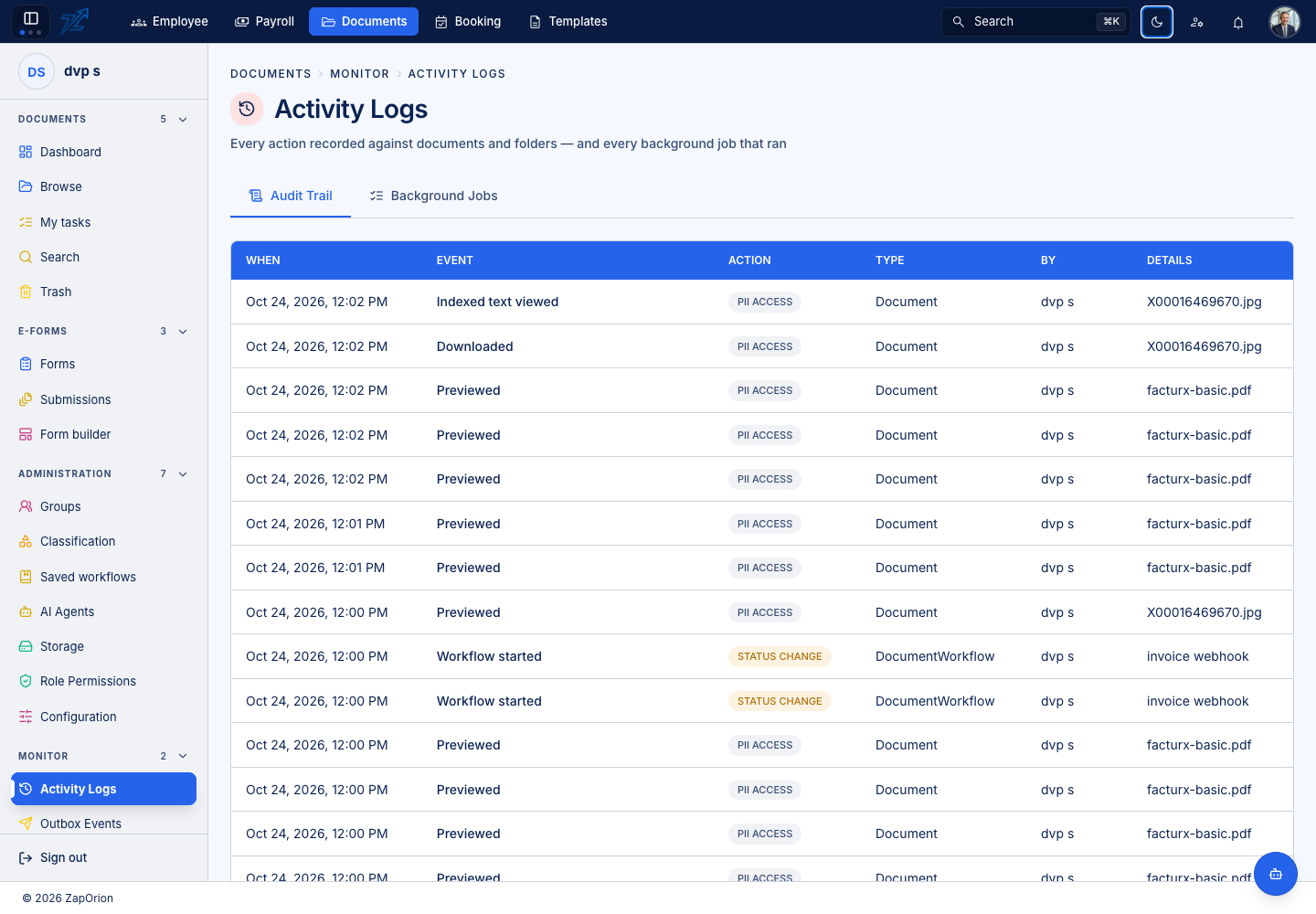
Audit Trail
Use the available filters to narrow events. Check the timestamp, actor, event/action label, affected item and detail. Open the record where a detail view is offered. Older records may identify an actor by an ID when a display name was not recorded.
Audit records help explain changes such as uploads, versions, moves, permissions and workflow actions. Read the event details before concluding that a particular business result occurred.
Background Jobs
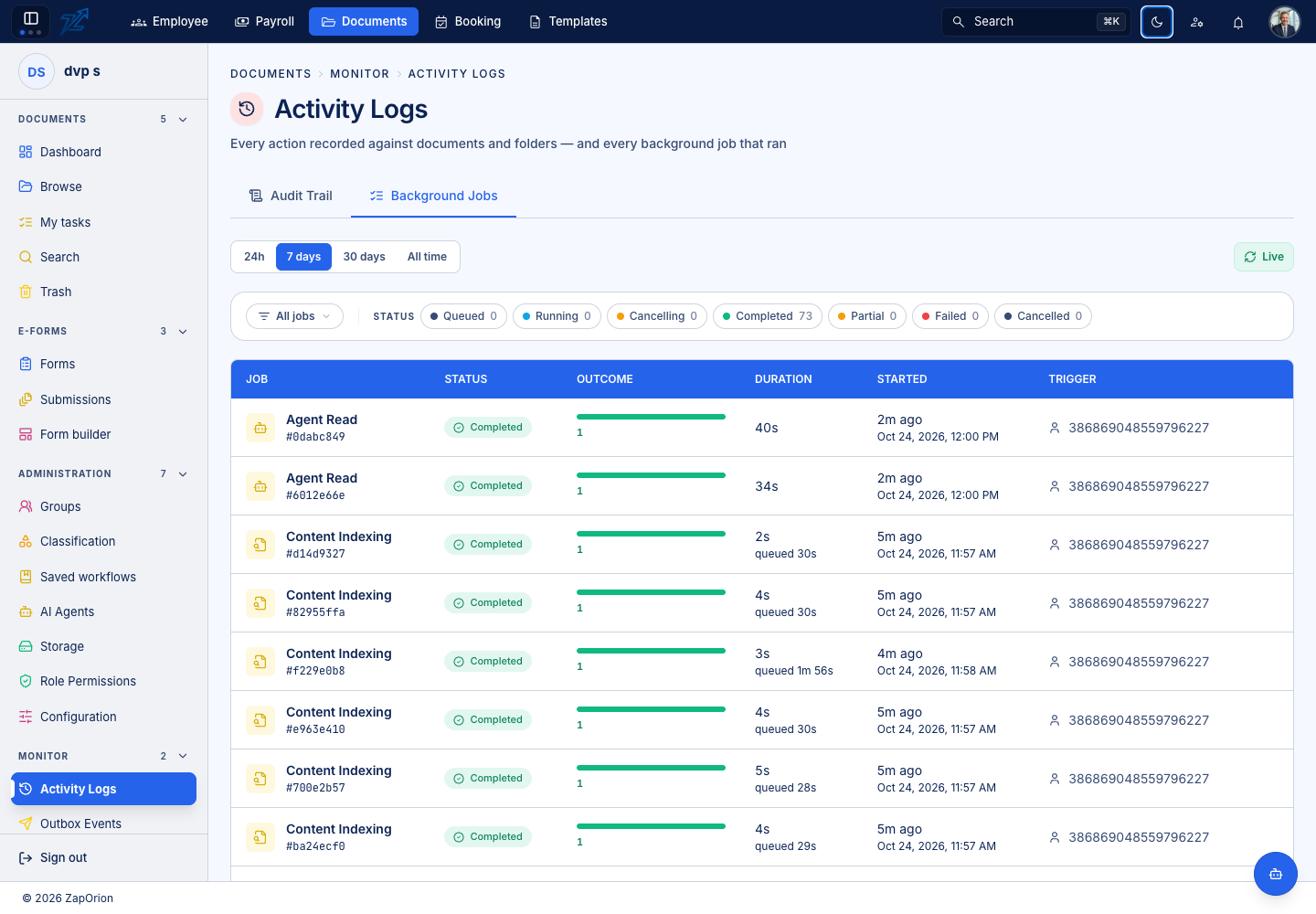
Find the relevant job by type, state, document/reference and time. Open it to inspect its trigger, timing, outcome and error details. Check task ordering when one step depends on another, such as indexing before a usable extraction.
If cancellation is available, read its confirmation and consider whether work may already have completed. Cancelling local processing does not undo effects already committed in another service.
A stale pending UI state can outlast a job. Use the actual job and document state to decide whether a retry is appropriate. For API calls, inspect the destination too; a timed-out call may already have succeeded there.