Access and roles
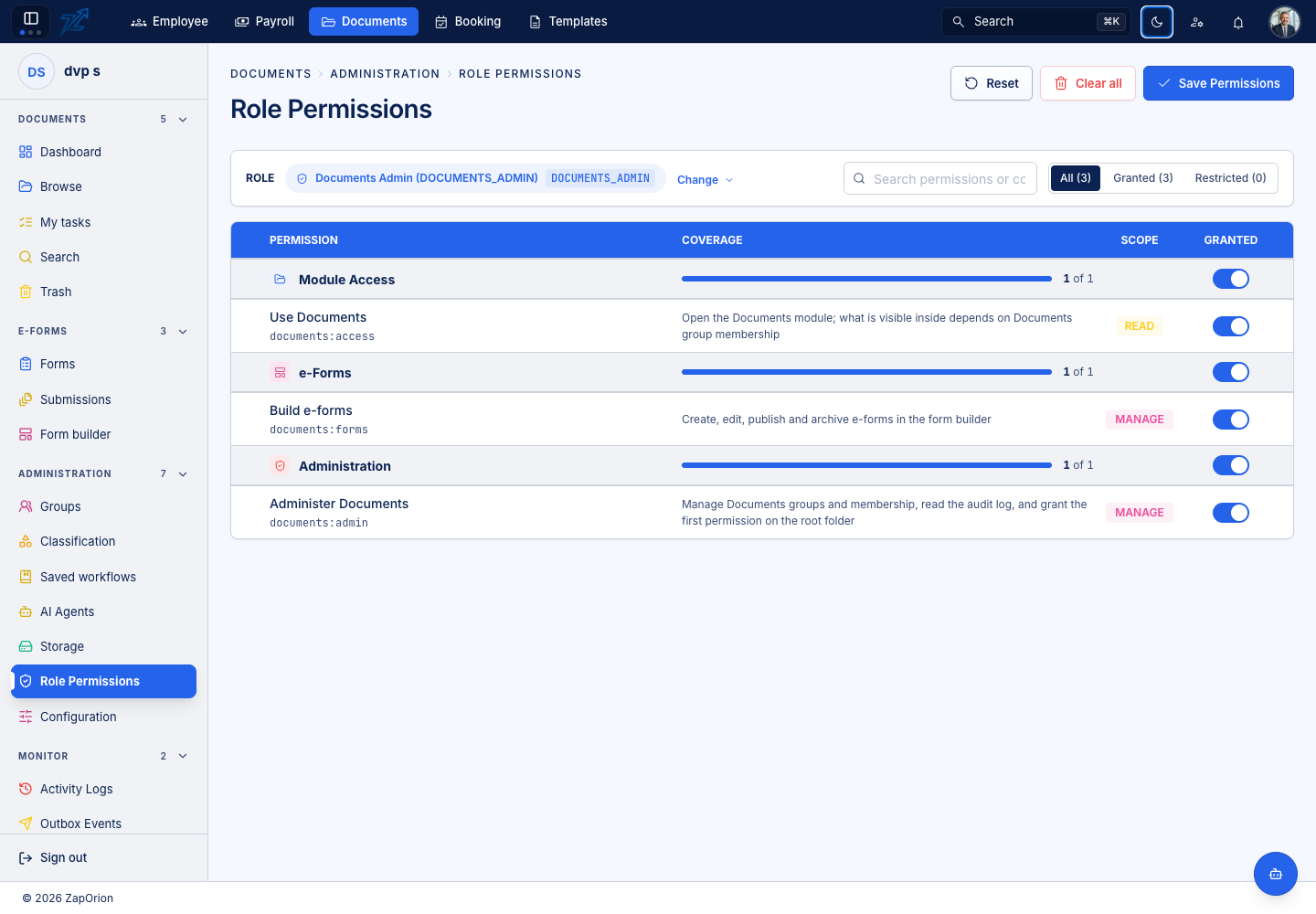
A role determines which module pages you can enter. Documents additionally checks access on every folder and document. Ask for the specific access needed for your work.
Documents module permissions
| Permission | Opens or enables |
|---|---|
documents:access | Documents and its everyday pages; listed items are still filtered by item access |
documents:admin | Groups, Classification, Saved workflows, Storage, Role Permissions, Configuration and Monitor |
documents:forms | Form builder: create, edit, publish and archive definitions |
documents:agents | AI agent mappings, runs, traces and usage |
Form design and AI agents are separate permissions. They are not automatically implied by the administration permission. Administrators assign these permissions through Administration → Role Permissions.
Folder and document access
| Item role | Typical capabilities |
|---|---|
| Viewer | View and download |
| Editor | Viewer capabilities, plus upload and edit/rename where supported |
| Manager | Editor capabilities, plus delete, manage folders and change permissions |
A group or an individual can receive access. If several grants apply, the highest role wins. A document can inherit its folder's permissions, inherit and add its own grants, or use restricted access. See Sharing and permissions.
An administrator may manage the module without ordinary membership in every folder. Do not assume administration makes every document visible.
Template roles
| Role | Capabilities |
|---|---|
TEMPLATE_ADMIN | Overview, PDF Documents, Emails, Layouts, Library, editors, generation, activity and API tokens |
PLATFORM_ADMIN | All Template capabilities, plus Settings and tenant usage limits |
Template uses role assignments from the sign-in service. It does not use the Documents permission matrix. If Settings is absent for a Template administrator, that is expected.