Design and publish an e-Form
You need documents:forms. Open e-Forms → Form builder to manage definitions. Administration access alone does not grant form-design access.
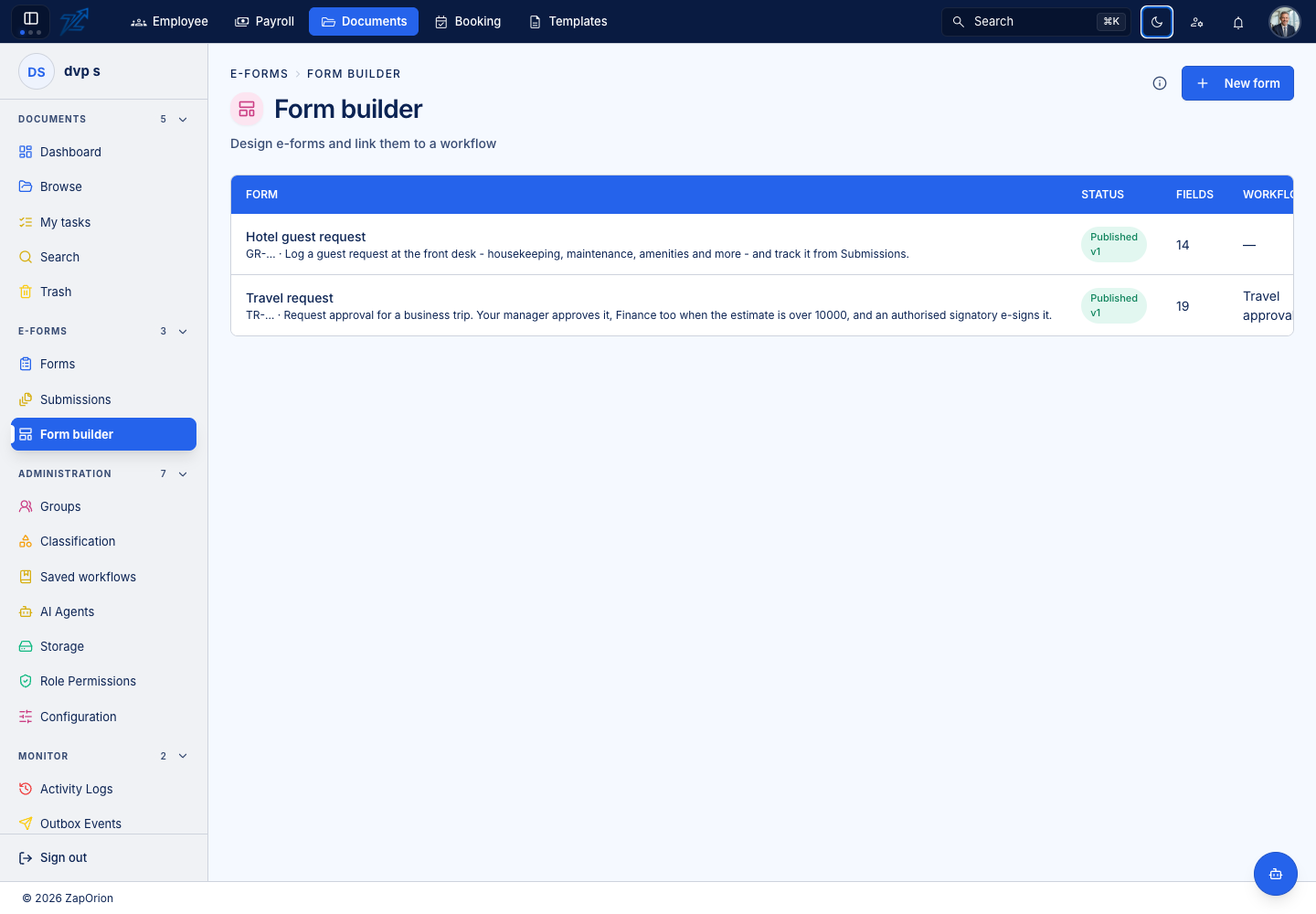
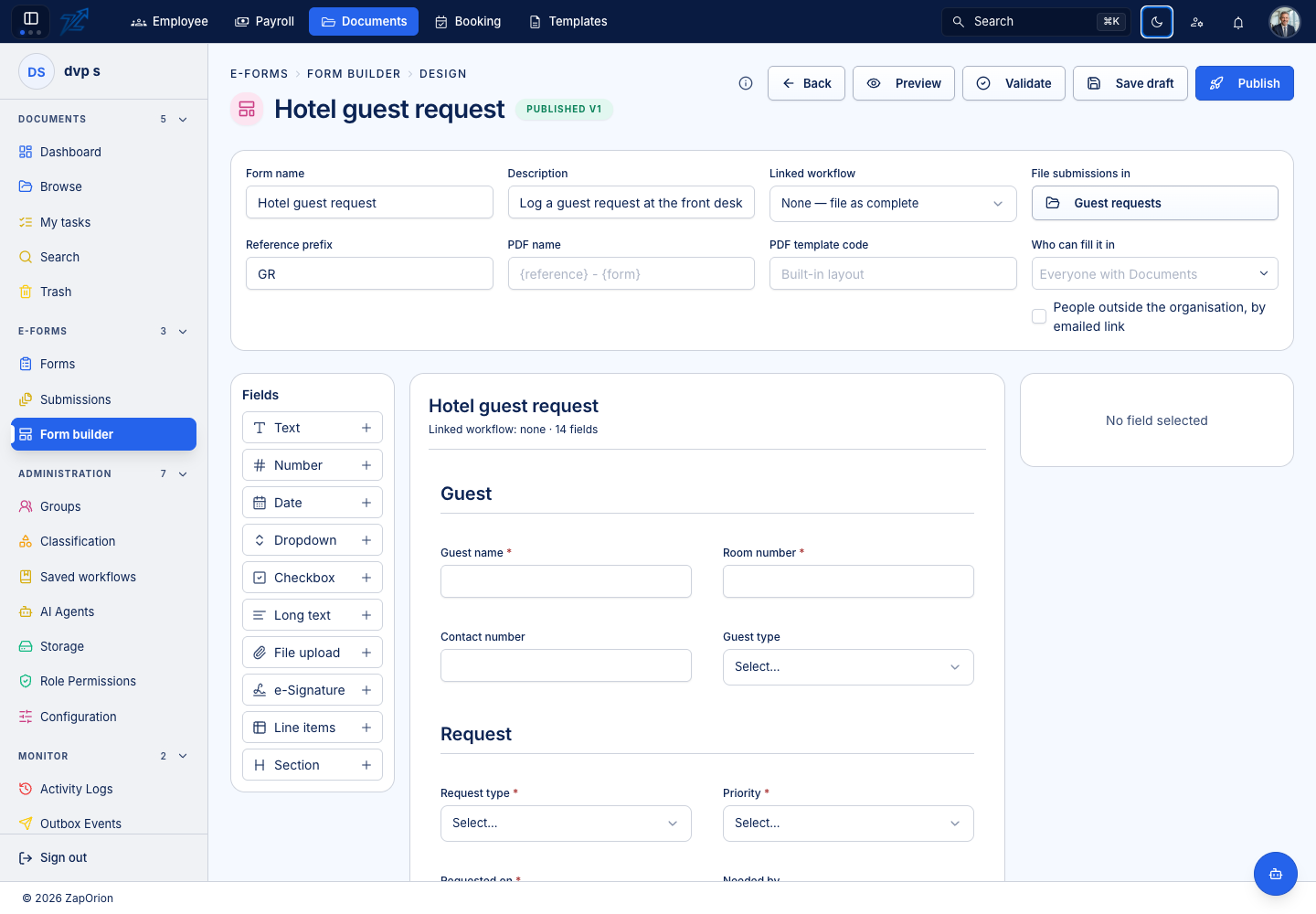
Configure a definition
- Choose New form or open an existing definition.
- Enter a recognisable form name and description. A new form can start from an offered starter.
- Choose the filing destination and the audience/group settings offered by the form.
- Select a linked workflow, or None — file as complete when no review route is needed.
- Add fields from the palette, arrange their order and set each field's properties.
Available fields
| Field | Typical use |
|---|---|
| Text / Long text | Names, identifiers, descriptions and remarks |
| Number | Amounts, quantities or another numeric value |
| Date | Dates entered as dates rather than ambiguous free text |
| Dropdown | A controlled list of choices |
| Checkbox | A confirmation or declaration |
| File upload | Supporting attachments |
| e-Signature | A signature field assigned to the appropriate person/stage |
| Line items | Repeating rows with typed columns; numeric columns can supply totals |
| Section | A heading to organise the form |
Use clear labels, help text and required flags. Suitable fields can share a row at half width. Use indexed fields deliberately when values need to be found in search.
Assign answers to the right stage
A field can be filled by the submitter or a reviewer. For reviewer fields, select the step where they must be completed. For workflow conditions, map the expected workflow field keys to the form's answers or numeric-column totals. Keep those mappings aligned with the workflow.
References, PDF names and Template designs
Set a Reference prefix, such as TR, to produce references like TR-000001. PDF name supports {reference}, {form}, {submitter} and {date}. Choose File submissions in deliberately: the submission PDF and attachments are stored there.
Leave PDF template code empty for the built-in form PDF, or enter the code of a saved document design from the Template module. Activate the intended design and ensure the configured Template service can render it.
Submission values are supplied under their field IDs, with additional context:
| Reference | Content |
|---|---|
traveller_name | The value of a form field whose ID is traveller_name |
expenses | Rows of a line-items field with that ID |
submission.reference, submission.form | Submission reference and form title |
submission.submittedBy, submission.submittedOn | Submitter and formatted submission time |
totals.expenses.amount | Total of the amount number column in expenses |
approvals | History rows containing step, action, by, at and comment |
Use matching root fields in the template's Input JSON. For example, a body can use {{traveller_name}}, {{submission.reference}} and {{totals.expenses.amount | currency "₹"}}. Repeat a table over expenses for the individual rows. These references differ from an unrelated design that deliberately nests its input inside data.
An outside person's first submission uses the built-in layout; a later approval/fill-in renders it with the configured template. A configured template render failure fails the submission/action rather than silently switching layouts. Test the full submit-review-PDF cycle after linking the design.
Save, validate and publish
Save draft keeps a design that is not ready for respondents. Preview lets you inspect the form as a reader. Validate reports design issues. Correct those issues, verify the filing destination and workflow mappings, then choose Publish.
Publication creates the version available for future submissions. Existing submissions keep their original form snapshot. Draft edits do not silently update those earlier requests. Archive an obsolete form when it should no longer be offered for new submissions.