Storage and quota
Open Administration → Storage to inspect stored usage, its breakdown and the organisation's quota.
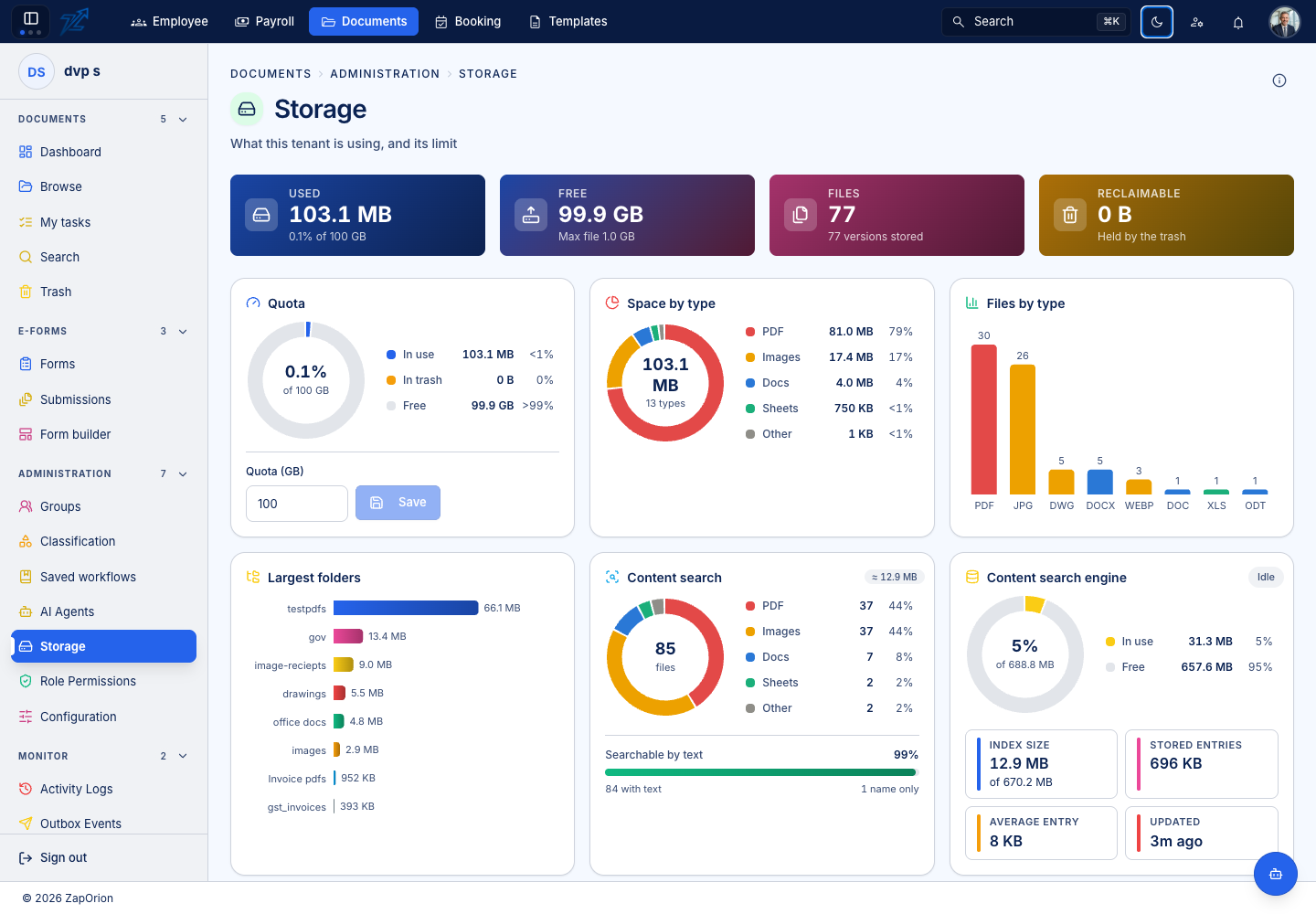
Read the figures
Current document size is the size of the version a person downloads now. Total stored size includes older retained versions. Trashed items still occupy storage until permanent deletion removes their stored objects. Folder totals can therefore exceed the sum of visible current files.
Use the page's breakdowns to identify the source of growth before deleting content. Large files, frequent replacement versions and retained Trash can all increase usage.
Change the quota
Use the Storage page's quota control when available and save the intended value. This updates the usage meter together with the quota. The corresponding raw tenant setting is also visible in Configuration; the Storage page is the clearer way to change it.
A quota of zero or less means no tenant ceiling in the current policy. Platform limits and upload rules can still apply. Increasing the quota does not change an individual file's maximum allowed size.
Reclaim space
Review obsolete versions and documents under the organisation's retention policy. Move unneeded items to Trash, then permanently delete only the items approved for removal. Confirm deletion has completed before expecting the storage figure to fall.
Do not treat a smaller current version as proof that the previous larger object is gone: both versions may still be stored.