Assign module permissions
Open Administration → Role Permissions. This matrix decides which Documents capabilities an identity-provider role can use.
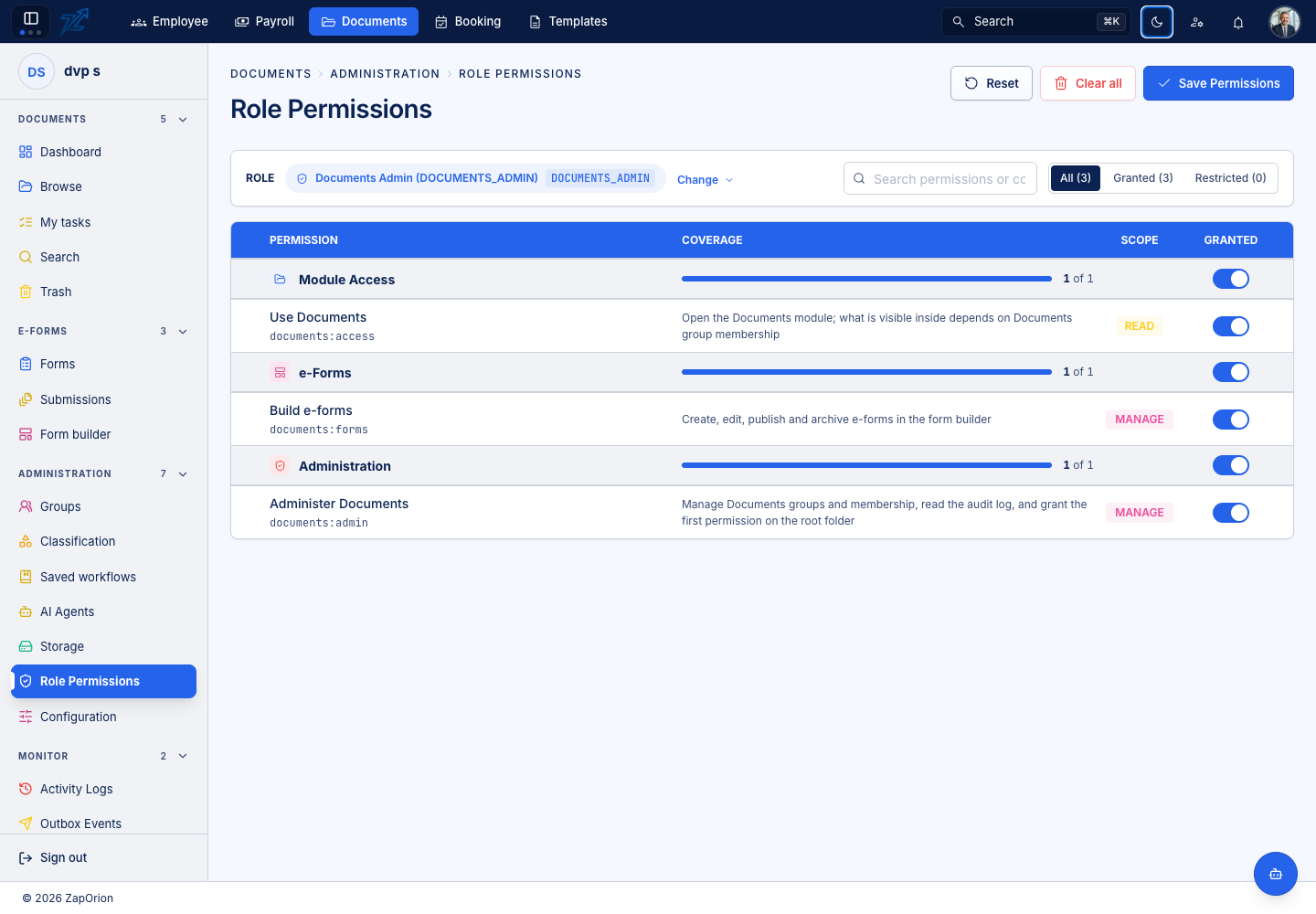
Update a role
- Choose the role you intend to change.
- Review its current permissions against the work that role needs.
- Enable or remove Use Documents, Administer Documents, Build e-forms and Manage AI agents as appropriate.
- Save the changes and verify them with a representative account.
- If the identity-provider role assignment changed too, have the person sign out and in again.
Form design and AI agents are independent grants. AI reads can spend credits, so grant agent management deliberately. The shell also checks known role keys to decide whether the module is visible at all.
Keep module and content access separate
Granting documents:access lets someone open the module, but item visibility still comes from folder/document access. Granting documents:admin does not replace those item permissions.
For the item modes and Viewer/Editor/Manager roles, use Sharing and permissions. For Template access, change the account's Template role in the sign-in service; this matrix does not administer that module.