REST connections and workflow API calls
Open Administration → Configuration → REST APIs. Store the connection once, then select it from an API call box in a saved workflow.
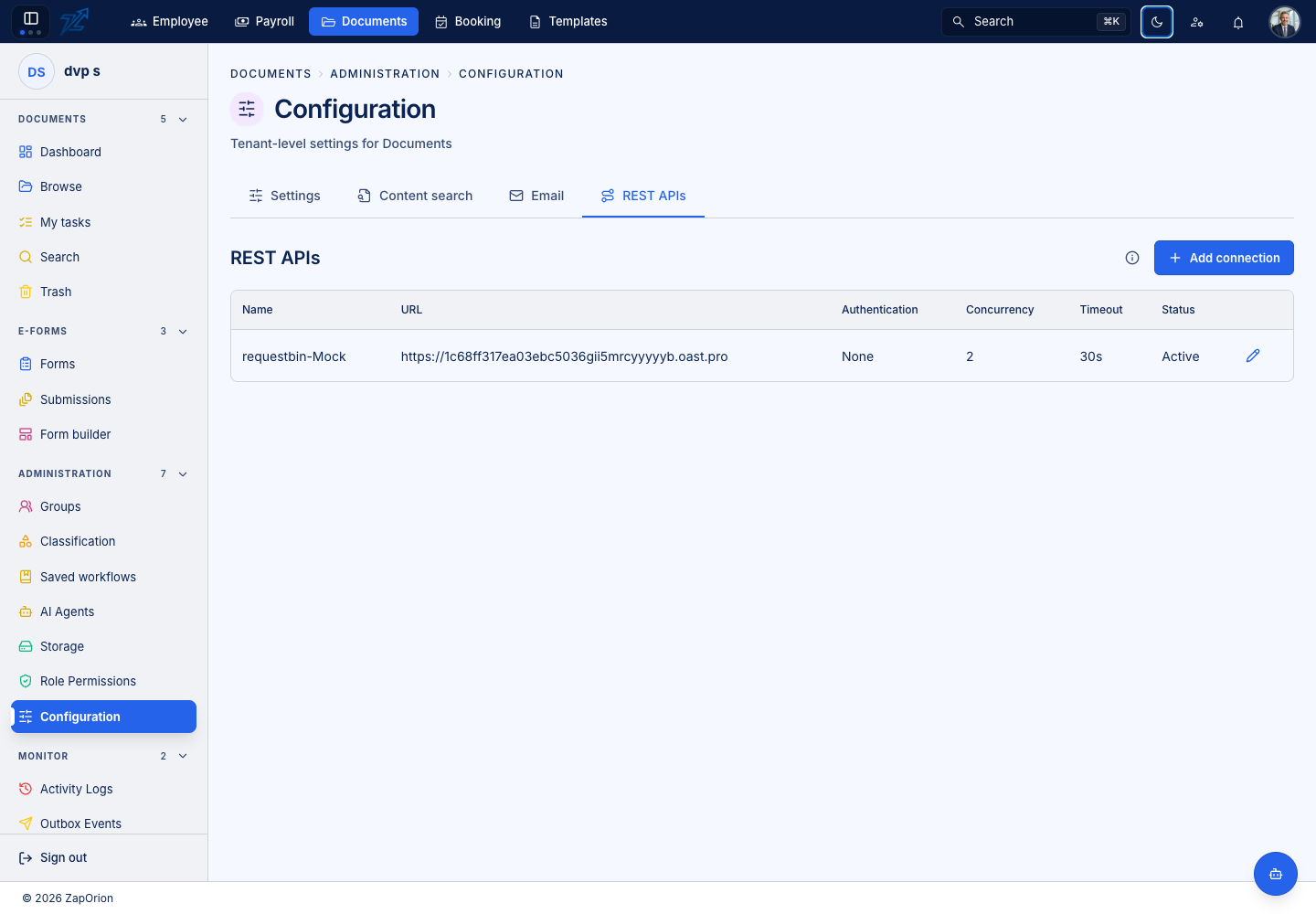
Configure a connection
- Add a connection with a recognisable name and base URL.
- Select the authentication method: Bearer, Basic, API key in a header/query, or OAuth 2.0 client credentials.
- Enter credentials in the authentication fields. Use ordinary fixed headers only for non-secret account/version information.
- If the destination requires request signing, configure its HMAC header, prefix, encoding and optional timestamp header.
- Set the offered concurrency/call controls, enable the connection and save.
Secrets are encrypted and are not shown again. Leave a saved secret blank to retain it. Changing the base URL, token URL, client ID or credential location can require entering it again.
Configure the API call box
Choose a connection, HTTP method and relative path. The path can contain encoded value placeholders, such as /orders/{{response.id}}. Select the body source:
| Body source | Uses |
|---|---|
| Document data | Current AI output with saved corrections; requires an earlier agent read |
| Previous API response | The JSON response from a connected earlier API call |
| JSON template | JSON you author with document, workflow, data and response placeholders |
Example JSON template:
{
  "documentId": "{{document.id}}",
  "invoiceNumber": "{{data.invoice_number}}",
  "total": "{{data.total}}"
}
A placeholder occupying an entire value retains its resolved type. Text around it produces a string. Missing required values take Failure. Available references include document identity/name/version, workflow ID, data paths and prior response values.
Handle the result
HTTP 200–299 takes Success. Other responses, token errors, disabled connections and transport errors take Failure. The timeline records the HTTP status. A JSON response up to 256 KB can be kept for the next call; response headers are not forwarded as workflow data.
Excess calls remain queued until a connection/server slot is free. A timeout or interruption can occur after the destination has already processed a call. Documents sends a stable Idempotency-Key and does not automatically repeat an interrupted call. Inspect the destination before manually retrying.