Build and test metadata fields
Open Administration → Classification → Metadata, then create or edit a field. Metadata values are extracted from the same text used by content search and appear in document properties.
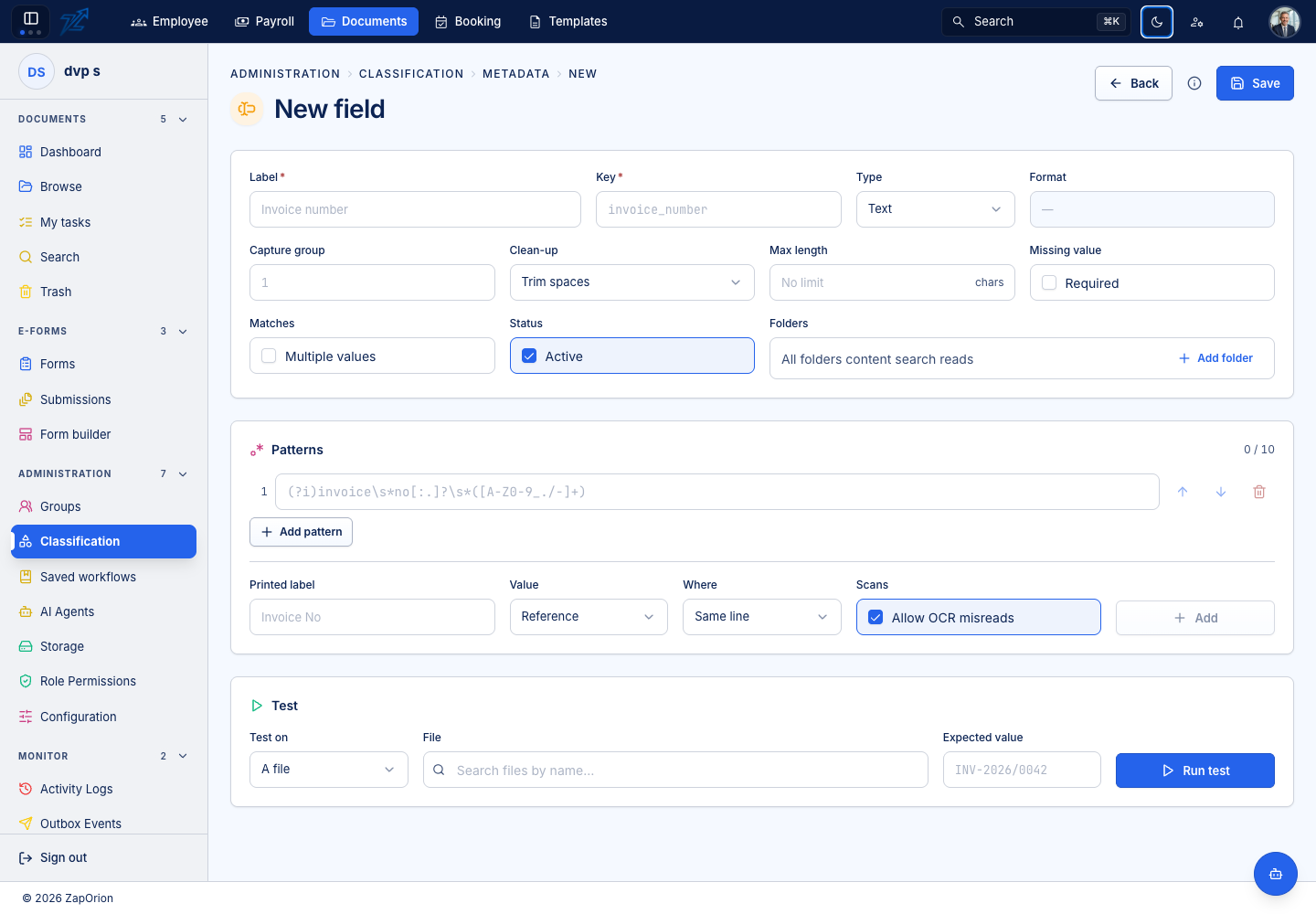
Define applicability and type
Use a stable field name and a clear label. With no field-specific folders selected, it applies to all files content search reads; selecting folders limits it to those folders and their descendants.
Choose the value type deliberately:
| Type | Interpretation |
|---|---|
| Text | The matched text, with configured cleanup |
| Date | A recognised date normalised to ISO; select the order for ambiguous numeric dates |
| Amount | Numeric amount with the configured decimal mark; handles supported grouping and negative forms |
| GSTIN / PAN / IBAN | Normalised identifier with the supported shape/check validation |
Use Required to show Not found when absent, Multiple values for distinct repeated matches, and Max length to reject values that run beyond the expected size. OCR misreads in the value are not silently repaired.
Build extraction patterns
Use the label-based builder when the value follows a recognisable printed label. Enter the label, the expected value form and whether it appears on the same line or below. Optional OCR-tolerant label matching can recognise common misread letters in the label.
Patterns run in order; the first pattern producing a usable value wins. Place specific labels before loose ones. For custom patterns, use Rust regex syntax. Look-around and back-references are unsupported. The capture-group setting selects the value: blank uses the first group, or the full match when there are no groups; a number/name selects a particular group.
Run a meaningful test
- Select a sample file or paste representative extracted text.
- Enter the expected value when known.
- Run the test against the current draft.
- Inspect extracted text, kept/refused values and each pattern's result.
- Adjust the pattern order, capture group, type or length and test again.
- Save only when the result matches the intended value across representative examples.
The AI prompt/reply helpers can suggest changes from the test evidence. Review the proposed changes and retest; applying a reply does not save it. A file test is recorded like a download.
Saving, disabling or deleting a field refreshes existing metadata from indexed text without rescanning all the source files. A pending indicator can appear while those updates run. Missing content-search coverage must be addressed separately.